

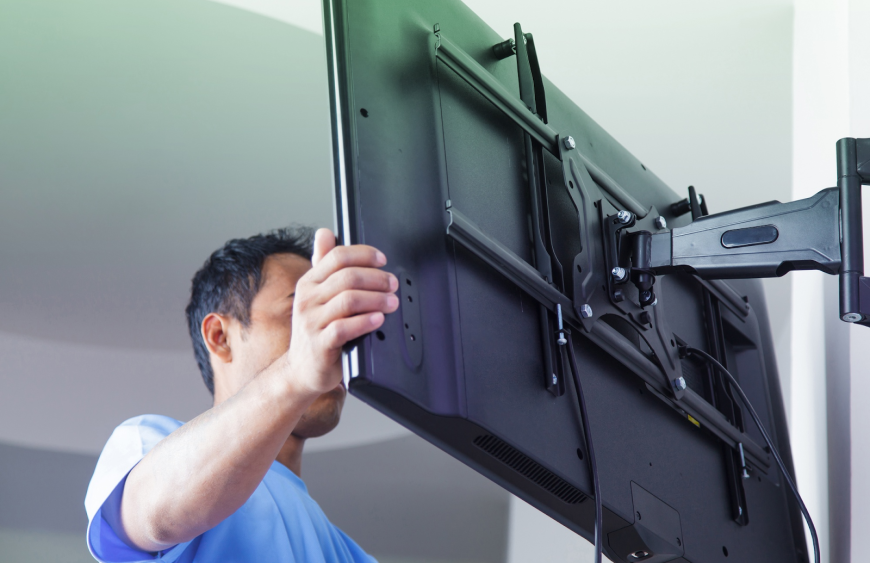
How to Mount Your TV Safely Like a Pro
So you just bought a brand new flat-screen TV — or maybe you’re finally ready to get that old one off the clunky entertainment center. Mounting your TV on the wall is one of the best upgrades you can make. It saves space, reduces glare, hides messy cables, and gives your room a clean, modern, cinema-like feel.
But here’s the truth: a poorly mounted TV is dangerous. A 55-inch TV can weigh over 35 pounds. If it falls, it can injure someone, destroy your TV, and damage your wall.
Do not worry. This guide will walk you through every single step — from choosing the right mount to hiding those ugly cables. By the end, you will have a professionally mounted TV that is safe, level, and beautiful.
Before You Start: What You Will Need
Gather these tools and supplies before you begin. Nothing is worse than stopping halfway through to search for a stud finder.
Tools Required
- Stud finder (electronic is best — do not guess)
- Drill with drill bits
- Screwdriver (Phillips head and flathead)
- Level (a small bubble level or laser level)
- Measuring tape
- Pencil for marking holes
- Socket wrench (often included with the mount)
Mounting Hardware
- TV wall mount (make sure it supports your TV’s size and weight)
- Lag bolts (usually included with the mount — do not use drywall anchors alone)
- Spacers (if your TV has a curved or recessed back)
- Cable management kit or cable covers (optional but recommended)
Step 1: Choose the Right TV Wall Mount
Not all mounts are the same. You need to match the mount to your needs.
Types of TV Mounts
Fixed Mount (Low Profile): The TV sits flat against the wall, about 1-2 inches away. Best for rooms where you watch TV directly from the front. Cheapest and safest option.
Tilting Mount: Allows you to tilt the TV downward. Perfect if you are mounting the TV higher (e.g., above a fireplace) or if you have windows causing glare.
Full-Motion (Articulating) Mount: Pulls out, swivels left/right, and tilts. Best for corner mounting or if you need to move the TV to different viewing angles. Requires stronger wall anchoring.
Check VESA Compatibility
VESA is the standard pattern of mounting holes on the back of your TV. Look at your TV’s manual or measure the distance between the four screw holes (e.g., 200x200mm, 400x400mm). Your mount must match this pattern.
Check Weight Capacity
Every mount has a maximum weight limit. Check your TV’s weight in the manual. Always buy a mount rated for at least 20% more than your TV weighs.
Step 2: Find the Perfect Height and Location
This is where most people make mistakes. Do not guess — use these rules.
The Golden Rule: Eye Level
The center of your TV screen should be at eye level when you are seated. For most couches and chairs, this is about 42 inches from the floor to the center of the TV.
Exception: If mounting above a fireplace or in a bedroom, you may mount higher — but then you definitely need a tilting mount.
How to Mark the Height
- Sit in your usual viewing spot.
- Have someone measure from the floor to your eye level while seated.
- That number (usually 40-45 inches) is where the center of the TV should go.
- Mark that spot on the wall with a light pencil mark.
Step 3: Locate the Wall Studs (Critical Step)
Never mount a TV to drywall alone. Drywall cannot support the weight. You must screw into wooden studs or use heavy-duty toggle bolts (only if studs are impossible to find).
How to Find Studs
- Turn on your stud finder and slide it slowly across the wall.
- When it beeps, mark the edge with a pencil.
- Slide from the other direction to find the other edge.
- The center of the stud is exactly between those two marks.
- Studs are typically spaced 16 or 24 inches apart.
- Find at least two studs that align with where your mount will go.
Pro tip: Tap the wall with your knuckle. A hollow sound means drywall. A solid thud means a stud. Outlets and light switches are usually attached to studs on one side.
Step 4: Attach the Mounting Bracket to the TV
Before lifting anything heavy, attach the brackets to your TV while it is safely on a soft surface (like a blanket on a table).
- Lay your TV face-down on a soft, clean blanket or towel.
- Locate the VESA mounting holes on the back.
- Attach the mounting brackets (the parts that screw into the TV) using the screws provided.
- Do not overtighten. Screw until snug, then stop.
- If the holes are recessed, use the included spacers.
- Double-check that both brackets are level with each other.
Step 5: Mark and Drill the Wall Plate
Now it is time to attach the wall plate — the part that stays on the wall.
- Hold the wall plate against the wall at your desired height. Use your level to make sure it is perfectly horizontal.
- Mark the drill holes through the plate onto the wall with a pencil.
- Double-check that your marks align with the studs you found.
- Drill pilot holes using a drill bit slightly smaller than your lag bolts (usually 3/16″ or 7/32″).
- Do not drill into electrical wires or plumbing. If you hit something unusual, stop immediately.
- Attach the wall plate using lag bolts and a socket wrench. Tighten firmly — but do not strip the bolt.
- Use the level again to confirm the plate is still straight.
Step 6: Hang the TV on the Wall Plate
This is a two-person job. Do not try to do it alone.
- One person holds the TV while the other guides the brackets onto the wall plate.
- Most mounts have a lip or hook system. Slide the TV brackets onto the wall plate until you hear a click.
- Once engaged, let the TV go gently to confirm it is secure.
- Some mounts have safety screws or locking bars. Install these now to prevent the TV from being lifted off accidentally.
Step 7: Level and Adjust
Even if you were careful, the TV might tilt slightly left or right. Most mounts have adjustment screws.
- Place your level on top of the TV (or use the level app on your phone).
- If the TV is not level, loosen the adjustment screws on the back of the mount slightly.
- Tilt the TV until level, then retighten the screws.
- If using a tilting or full-motion mount, adjust the tilt angle now.
Step 8: Hide the Cables (The Professional Finish)
Dangling cables ruin the clean look of a mounted TV. Here are three ways to hide them.
Method 1: In-Wall Cable Kit (Best)
Install a recessed cable kit behind the TV and another behind your media console. Run HDMI and power cables inside the wall. Important: Use an in-wall rated power cable (often called a “power bridge”). Do not just shove a standard extension cord inside your wall — it is a fire hazard.
Method 2: Surface Cable Raceway (Easiest)
Use stick-on plastic channels that hide cables against the wall. Paint them to match your wall color. This is safe, cheap, and takes 10 minutes.
Method 3: Cord Covers (Simple)
Use fabric or mesh sleeves to bundle cables together. Not as clean as raceways but better than loose wires.
Troubleshooting: Fix Common Mounting Issues
The Mount Feels Loose
The Fix: You may have missed the stud. Remove the mount and re-find your studs. If you used drywall anchors, remove them and drill into actual studs.
The TV is Too High or Too Low
The Fix: Unfortunately, you will need to unmount the TV and move the wall plate. Use spackle to fill old holes, touch up paint, and re-drill at the correct height. Measure twice, drill once next time.
The TV Won’t Stay Tilted
The Fix: Tighten the tilt adjustment bolts. If they are fully tight but still slipping, your TV may be too heavy for the mount. Check the mount’s weight limit.
The Screws That Came With the Mount Don’t Fit My TV
The Fix: This is common. Different TVs use different screw sizes (M4, M5, M6, or M8). Check your TV manual for the correct size, or buy a universal screw kit online or at a hardware store.
Safety Warnings (Read This)
- Never mount a TV alone. They are heavy and awkward. A fall can cause serious injury.
- Never use drywall anchors as the primary support. They will eventually fail.
- Never run a power cord inside a wall without an in-wall rated kit. This is a fire hazard and violates electrical code.
- Keep your TV away from heat sources like radiators, fireplaces, and direct sunlight.
Conclusion
Mounting your TV on the wall is absolutely worth the effort. You will gain floor space, reduce clutter, and enjoy a theater-like experience in your own home. The key is preparation: use a stud finder, pick the right mount, and always have a second set of hands.
Take your time. A careful 90-minute installation is better than a rushed 30-minute one that ends with a broken TV and a hole in the wall.
Did this guide help you? If you have questions about a specific wall type (brick, concrete, metal studs) or need help choosing a mount, leave a comment below with your TV size and wall type. Happy mounting!